
Dashboard
Dashboard information widget
Section titled “Dashboard information widget”Open Settings → Site Essentials → Dashboard. This section affects only the WordPress Dashboard home screen. Dashboard widgets are separate from the theme’s sidebar widgets under Appearance.
1. Keep the native Dashboard clear
Section titled “1. Keep the native Dashboard clear”Select only the WordPress widgets you want to hide, then use Save all settings. Third-party widgets and their settings are not deleted.
2. Write one useful information widget
Section titled “2. Write one useful information widget”Enable the information widget, enter a short title and add contact information or website instructions. Use bold, italic, lists and links; switch between Visual and Code when needed.
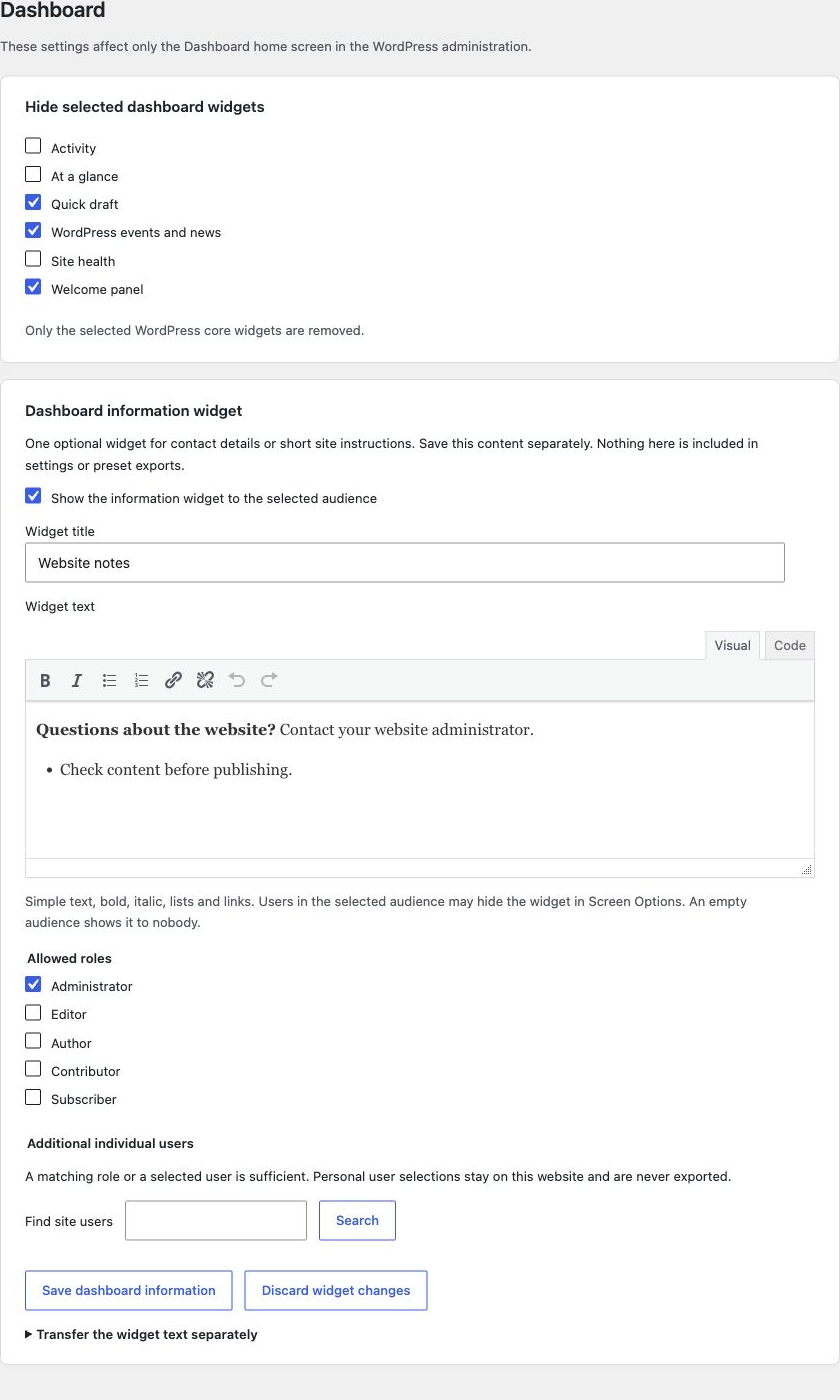
The native widget controls and your information widget share one section. The information widget has its own save button.
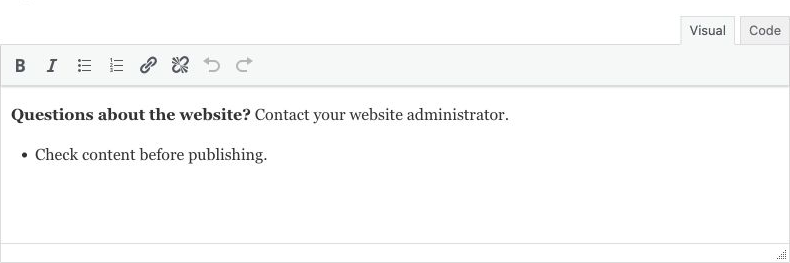
List markers stay inside the editor. The example contains no customer information.
3. Choose the audience and save
Section titled “3. Choose the audience and save”Select each allowed role and, if needed, search for additional individual users of this website. A matching role or a selected user is enough. Without an audience, nobody sees the widget; administrators do not receive automatic access.
Use Save dashboard information, then open the Dashboard with an allowed user. Users may hide the widget personally through Screen Options. Save or discard other pending drafts before saving a different area.
Transfer text deliberately
Section titled “Transfer text deliberately”Normal settings and preset exports exclude the widget text and personal grants. The separate text transfer requires explicit confirmation and transfers only the saved title and text. Import keeps activation and audience unchanged. Review contact details before importing them on another website.
Disabling or uninstalling keeps the widget configuration. Resetting Site Essentials removes it. Local-avatar settings and developer filter are documented separately.
Imported from the published release 1.1.0. Original source · Deutsch