

WORDPRESS PLUGIN · DECKERWEB
Quick Edit Featured ImageQuick Edit Featured ImageSet and change featured images directly in Quick Edit.
Set, replace and remove featured images directly in Quick Edit. For posts, pages and supported public post types, with no dedicated settings page.
Download Quick Edit Featured ImageVersion 1.4.2 · Plugin ZIP Direct ZIP download · no detoursView on GitHub ↗
Version 1.4.2WordPress 6.7+PHP 8.1+
Small tools. For your everyday WordPress work.
WHAT’S INSIDE
Good to know.
Ready to use.
Public post types with featured-image support; existing exclusions remain configurable.
Keyboard controls and the original admin-table placeholder.
A LOOK INSIDE THE PLUGIN
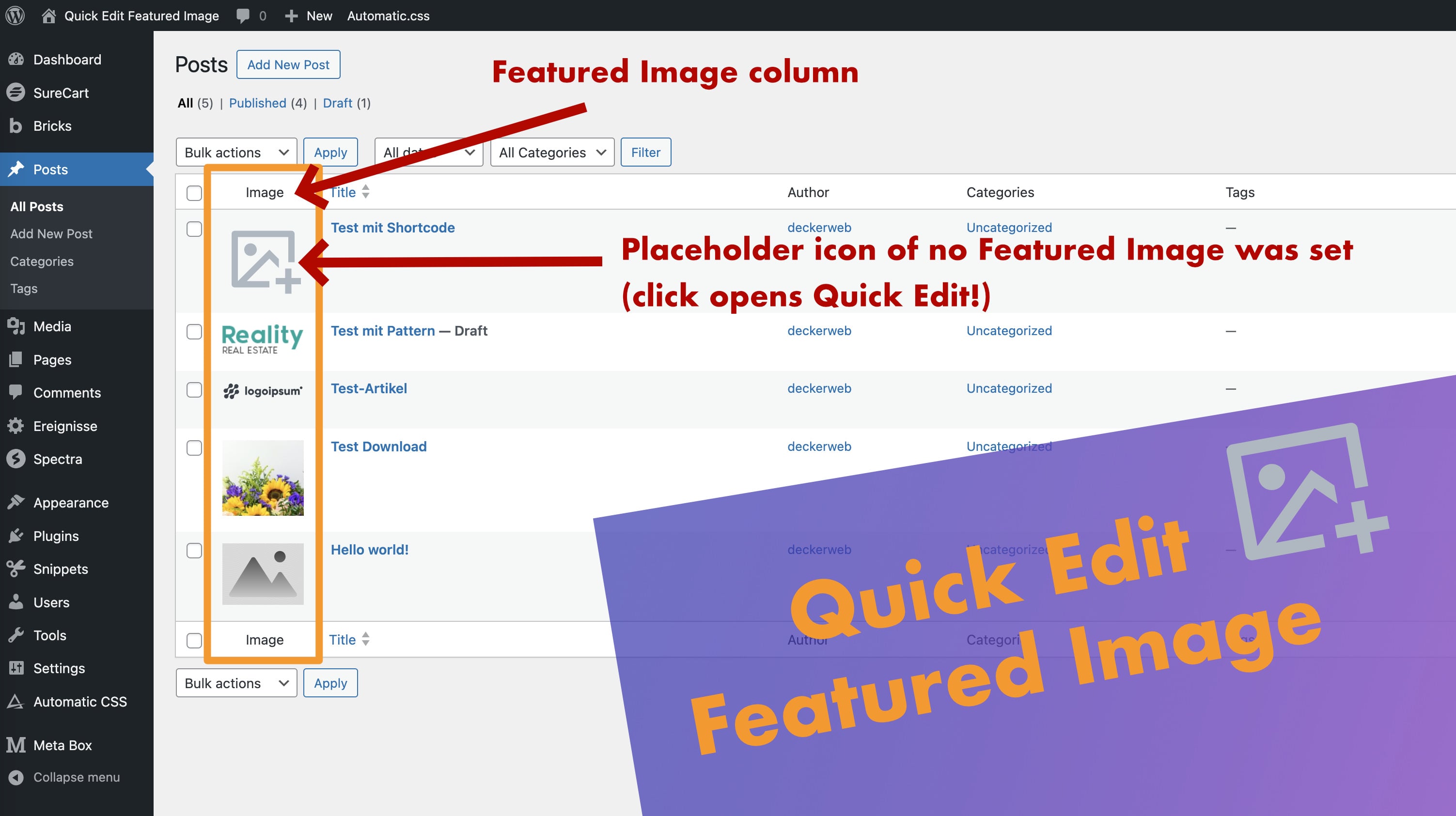
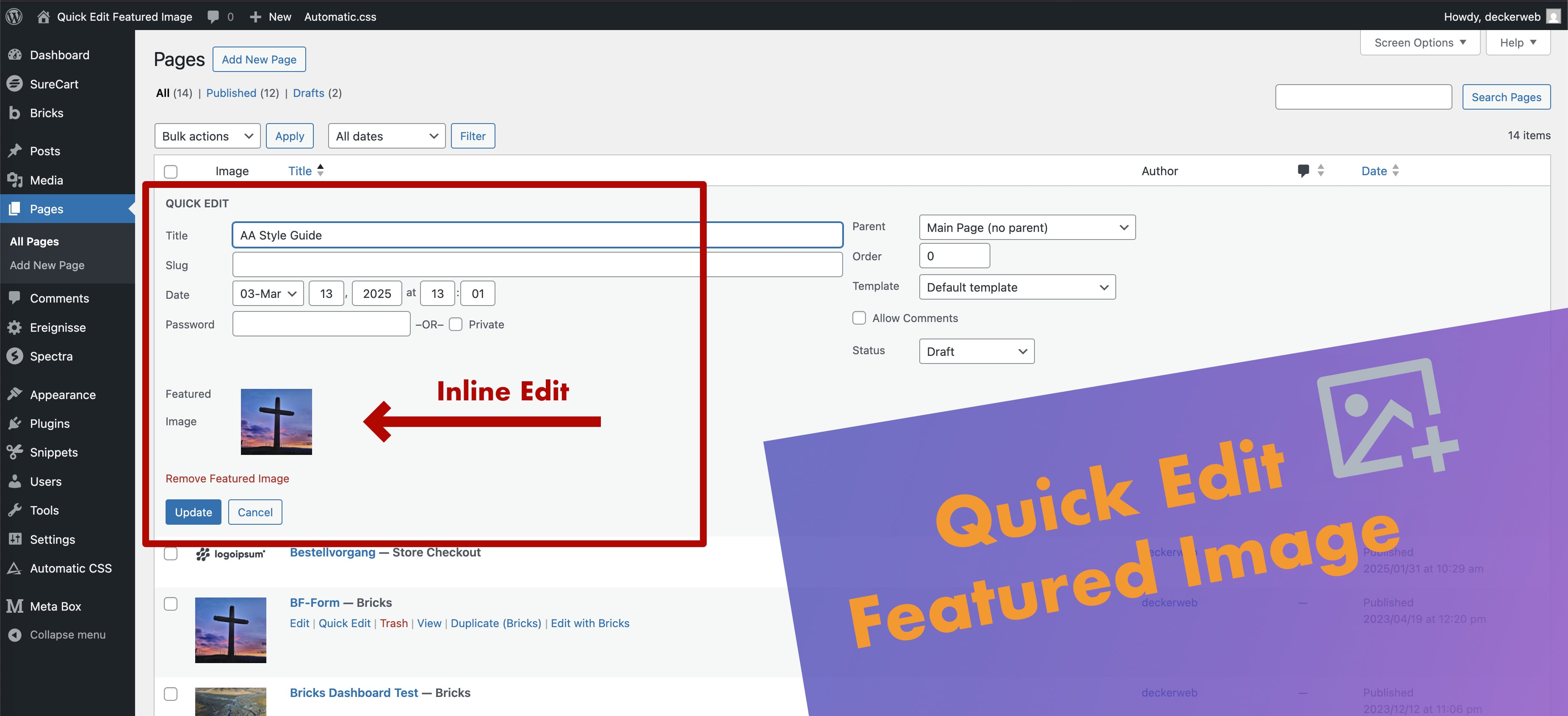
See it in action.
Where do I change an image?
Open Posts → All Posts or Pages → All Pages, choose Quick Edit, select an image and click Update. The same controls appear for enabled public post types with thumbnail support.
Why is the image column missing?
The post type must be public/viewable and support featured images. WooCommerce products and internal Meta Box types are excluded by default. Check QEFI_DISABLED_TYPES and the existing exclusion filter.
Does this replace an admin-columns plugin?
It focuses on selecting, replacing and removing featured images in native Quick Edit. It does not offer a general column editor, image optimization or bulk image assignment.
Can I use the snippet instead?
Yes. Import the disabled admin-context JSON export and activate it in your snippet manager. Use either the plugin or the snippet. The snippet has no bundled updater or Library and is updated manually.
YOUR NEXT STEP
A good fit for your
WordPress?
Download Quick Edit Featured ImageVersion 1.4.2 · Plugin ZIP Direct ZIP download · no detoursView on GitHub ↗
SMALL STEPS. GOOD CHANGES.
What’s new?
VERSION1.4.2
Full changelog ↗Changes
- Fixed: Use the bundled updater reliably when other plugins load older updater versions first.
THE ESSENTIALS FOR YOUR WEBSITE
At a glance
- Version
- 1.4.2
- Released
- 22 October 2026
- WordPress
- 6.7+
- PHP
- 8.1+
- Guide
- Deutsch / English
- License
- GPL v2 or later
- Developer
- David Decker
FOR YOUR NEXT STEP
Documentation & help
Guides, answers and release histories are collected here in the documentation.