
Providers & destinations
Palette providers
Section titled “Palette providers”Choose a color source
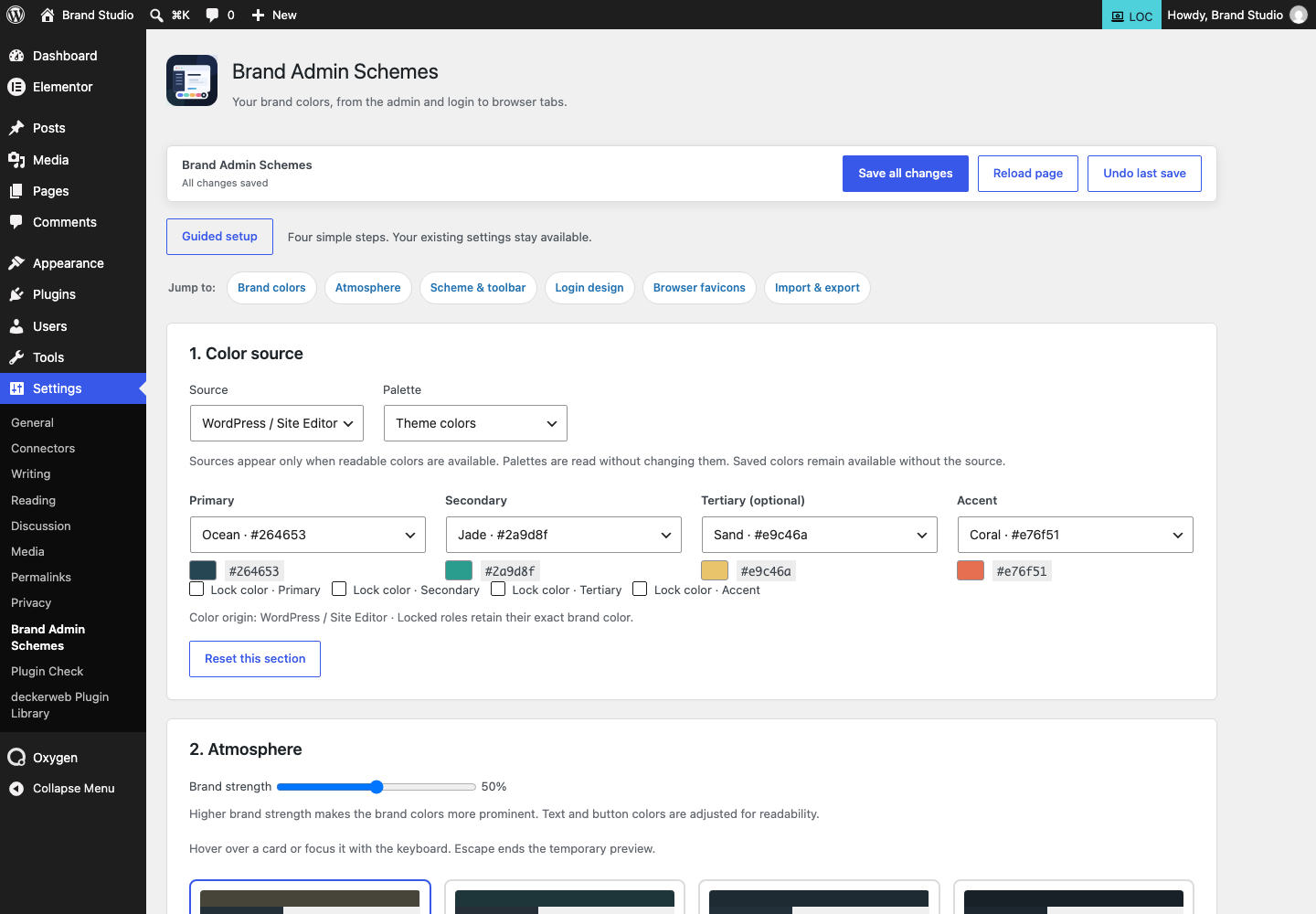
Section titled “Choose a color source”Choose Settings → Brand Admin Schemes → Color source. WordPress / Site Editor groups Theme colors, Custom global colors and WordPress default colors. Elementor uses the active kit’s system and custom global colors; Elementor Free is sufficient. Oxygen Classic reads its Global Colors sets, with the original names. Its adapter targets 4.x and does not treat Oxygen 6+ as Classic.
Supported color sources at a glance
Section titled “Supported color sources at a glance”| Source | What is read |
|---|---|
| Core Framework | Simple six-digit hex custom properties in its readable generated stylesheet, when its Helper exposes that file. |
| Bricks Builder | Hex colors in available Bricks color palettes. |
| Automatic.css | Enabled, readable hex role colors through the ACSS settings API; the adapter was inspected against ACSS 3.3.7 and 4.0.1. |
| WordPress / Site Editor | Theme and custom global color palettes with usable color values. |
| Elementor | Global colors from the active Elementor kit; Elementor Free is sufficient. |
| Oxygen Classic | Global color sets from Oxygen Classic 4.x; verified with 4.9.8. |
| Manual | Colors you enter in the editor, without any other plugin. |
Apply and save colors
Section titled “Apply and save colors”Select a source and palette, map colors to the four brand roles, preview and save. Sources are read only; BAS never edits the owner’s palettes. The optional BAS Gutenberg palette is separate and is excluded from the native provider’s input. No provider makes remote requests. Cached reads last only within one request and are isolated by website, active theme and interface language.
Which color values work?
Section titled “Which color values work?”Supported values: three/six-digit HEX, fully opaque eight-digit HEX, and comma-separated RGB/RGBA with opacity 1. Unsupported expressions, variables and translucent values are omitted rather than approximated. Sources without usable colors remain hidden. Missing sources or palettes fall back to saved brand colors in manual mode. Saved branding does not synchronize automatically with a palette.
Elementor and moving between websites
Section titled “Elementor and moving between websites”Elementor Pro is not required. The adapter uses Free’s shared kit color model; Pro-specific additions and Atomic variable systems are outside this adapter’s scope. No frontend/page colors are scanned. Use the existing JSON/portable template workflows to reuse saved branding; portable templates retain literal colors rather than references to another website’s provider IDs.
Providers in Multisite
Section titled “Providers in Multisite”In Multisite each website reads its own active theme, active kit and Oxygen options. A provider active only on another website is not offered. Network activation of BAS does not copy color settings.
Imported from the published release 1.2.0. Original source · Deutsch