
PDF migration
PDF migration
Section titled “PDF migration”Decide whether to switch
Section titled “Decide whether to switch”Use Tools → PDF migration to review supported embeds before converting selected contributions. The tool supports PDF Poster blocks and PDF Embedder blocks/shortcodes in ordinary contribution content. It reuses local Media Library PDFs without uploading, copying or deleting them. Source plugins need not remain active for discovery. They must be available again to render restored original embeds.
PDF Embedder also uses local PDF.js. Switching is useful when you want preview cards, collections and archives with reading/download actions. It is a change in presentation, not an identical viewer replacement: inline viewers become cover cards with a reading action using your current plugin defaults (for example, a modal reader). Width, height, toolbar position, hover behavior, initial page and zoom are not transferred. Check the result before removing the source plugin.
Supported and skipped content
Section titled “Supported and skipped content”- PDF Poster: supported blocks; its shortcodes still need manual review.
- PDF Embedder:
pdfemb/pdf-embedder-viewerblocks and real[pdf-embedder url="…"]shortcodes. The adapter was developed against free version 5.0.2; other formats need verification. - A PDF must map unambiguously to an ordinary local Media Library PDF with an existing file. An ID/URL mismatch is not guessed away.
- External URLs, missing/ambiguous attachments and protected
securepdfsdocuments are skipped. No remote PDF is downloaded and no protection is removed. - HTML/code examples, arbitrary builder metadata, templates and Premium-specific content are not automatically converted. Escaped shortcode examples are preserved.
One unsupported PDF reference leaves the whole contribution unchanged. Several independent contributions can still have different outcomes in one batch. The report explains each result.
Review, convert and verify
Section titled “Review, convert and verify”- Open Tools → PDF migration. Use Check again after changing source content.
- Review the listed contributions. A selectable entry has verified local PDFs; unavailable entries explain their reason. The tool does not run on activation or while viewing the page.
- Select up to 50 contributions and convert explicitly. Existing collection limits and permissions still apply.
- Check the result report, source page and any related archive. Multiple embeds retain their positions and order; each embed shows its own document, not the entire contribution collection repeatedly. Unique documents are also assigned to the contribution for archive use. Existing assignments are retained.
- Before deactivating/removing the old plugin, check all source pages, templates, builder integrations and any skipped results. The tool scans contribution content, not every possible storage location.
Post status, passwords and other contribution settings are preserved. Media files keep their existing access rules. Migration does not create protected storage or copy protection.
Recovery and later edits
Section titled “Recovery and later edits”The tool keeps the exact original contribution content and its prior PDF assignments. Use Recovery backups to restore a contribution individually. Later changes trigger a conflict and require explicit overwrite confirmation. Restoring replaces the migration-owned content and collection with the snapshot, including any later edits if you confirm overwriting; it does not delete media files. The last 20 operation reports remain available. General website backups remain useful.
The migration tool in practice
Section titled “The migration tool in practice”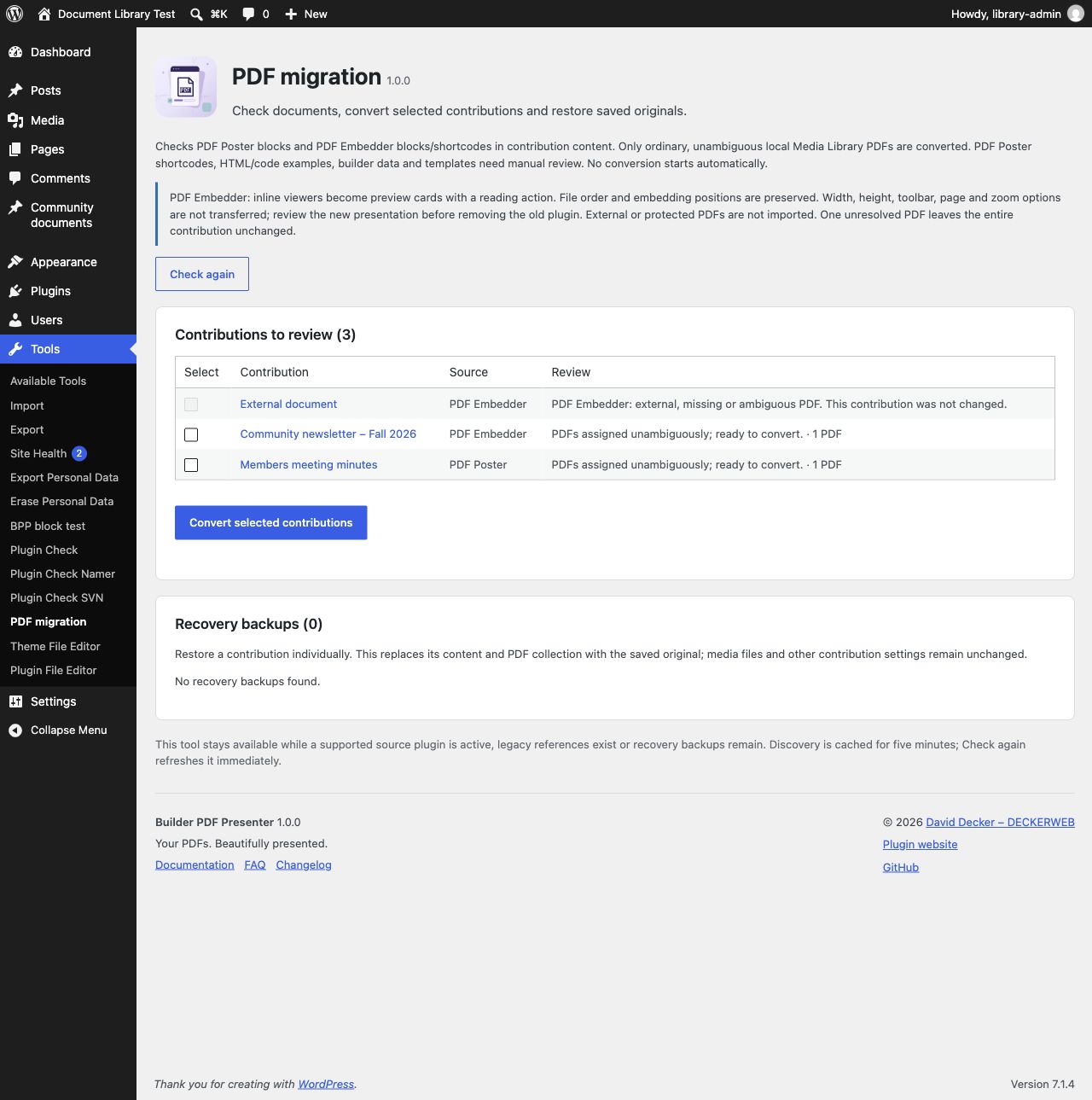
Tools → PDF migration lists supported local PDFs and explains why unresolved or external sources cannot be selected. Review the sources before converting.
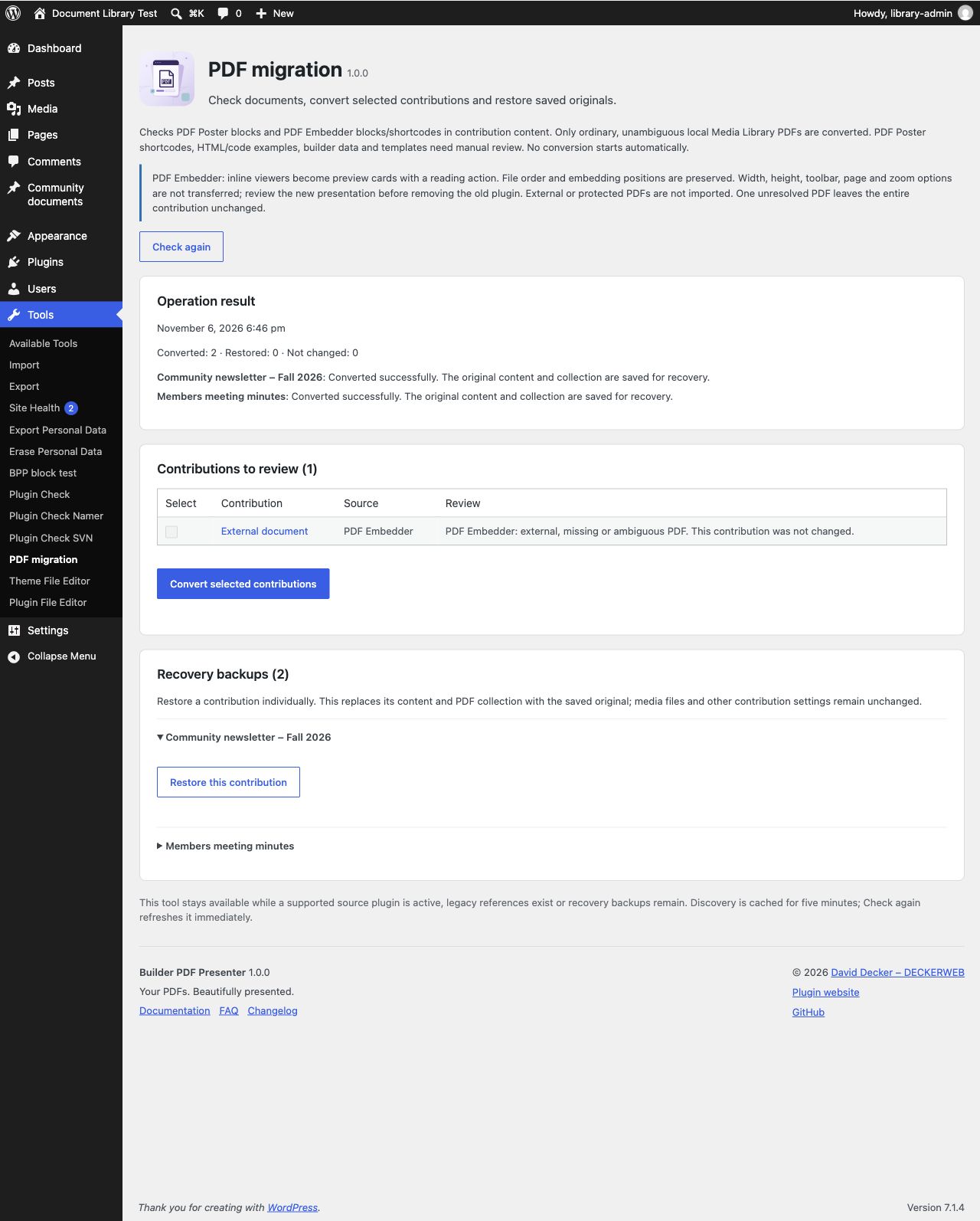
After conversion, the report lists the outcome for each contribution. Recovery backups provide a separate action for restoring an individual original. Screenshots use neutral demonstration content.
Imported from the published release 1.0.0. Original source · Deutsch